OCS 2007 Message Limits
Yesterday I went looking for what the maximum message size I could send in an IM through OCS 2007 was and I couldn’t find an answer anywhere in the documentation or across the web. So I sat down and did it the old fashioned way – copying and pasting items until I got some errors and I found some pretty interesting results. OCS actually has 2 different limits. One is a limit on the first message you send to a recipient and the second limit applies to subsequent messages, with the first limit being 10% of the second. So what are the limits?
- Initial Message: 800 characters
- Subsequent Messages: 8000 characters
Interestingly enough, these limits come from two different places. If you send an initial message of over 800 characters you’ll get a message back in your IM window saying "This message was not delivered to [Username] because it is too large:
If you enter more than 8000 characters you’ll actually get a message back from Office Communicator "The message is too long. Please shorten your message and try sending again.": 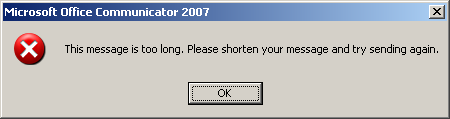
I’ve also managed to make Communicator truncate the text I enter if it’s over 8000 characters, but I can’t consistently figure out when it truncates the text and gives me the server-side message as opposed to the Communicator dialog box above that the text is too long.
I think the question more people are asking though is "how can I change these limits?". From what I can tell we’re stuck with the latter limit. If you search around it appears SQL itself is limited to a varchar value of 8000. For all practical purposes, I think the 8000 limit should accommodate most everyone. If it’s bigger than that, it’s probably a candidate for email, not IM. I set about trying to change the initial limit.
First, I looked in the OCS 2007 snap-in, but couldn’t find any options for changing this. Next, I checked out the registry. Nothing there so I fired up ADSIEdit. I found some global config settings in CN=Global Settings,CN=RTC Service,CN=Microsoft,CN=System,DC=ptown,DC=com, but nothing related to a maximum message size.
The only other place I could think of to look was the actual OCS database instance so I opened up SQL Server Management Studio Express to take a look. I did find a table (MSFT_SIPProxySetting) in the rtcconfig database that looked promising with a columns titled MaxBodySizeClientMsg and MaxBodySizeServerMsg. These are also apparently properties in the WMI class: http://msdn2.microsoft.com/en-us/library/bb632153.aspx.
MaxBodySizeClientMsg was set to 128 and MaxBodySizeServerMsg was at 5000. These values are in KB, not characters. I changed these to 256 and 10000, respectively, restarting the services after each change, but nothing seemed to make a difference. The only thing I can think of is that these values are hard-coded into the OCS and Communicator products. Anyone got any other ideas? Did I miss something?